Product Video 1
 Klik untuk besarkan
1
/
6
Remote Control for Google TV, Compatible with 4K Remote Google TV (New)
Model:
Remote Google TV (New)
Direct Sale Price
RM
158.74
Availability
In Stock
Available
1 unit
Condition
New
Warranty
3 bulan
by Supplier
Location
Bandar Baru Enstek
Quantity
Authentic Product
Local Ready Stock
Direct Seller Support
COD Bandar Enstek
Product Specifications
Product
Remote Control for Google TV, Compatible with 4K
Model
Remote Google TV (New)
Category
Electronic
Condition
New
Warranty
3 bulan
Warranty By
Supplier
Product Description
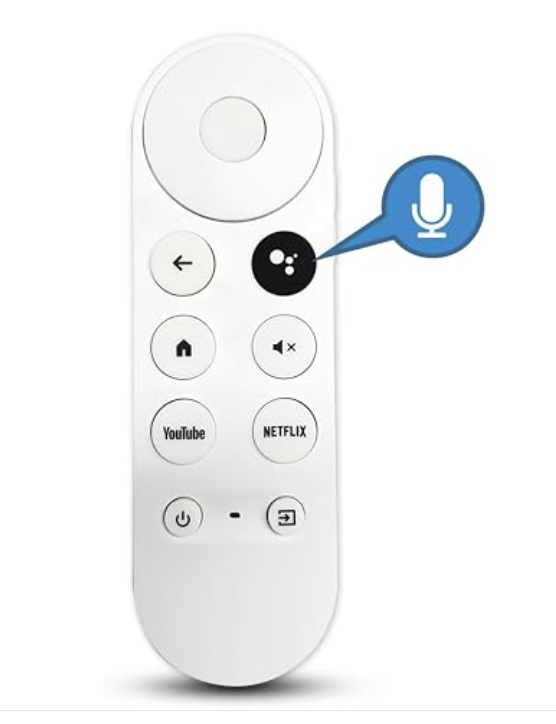
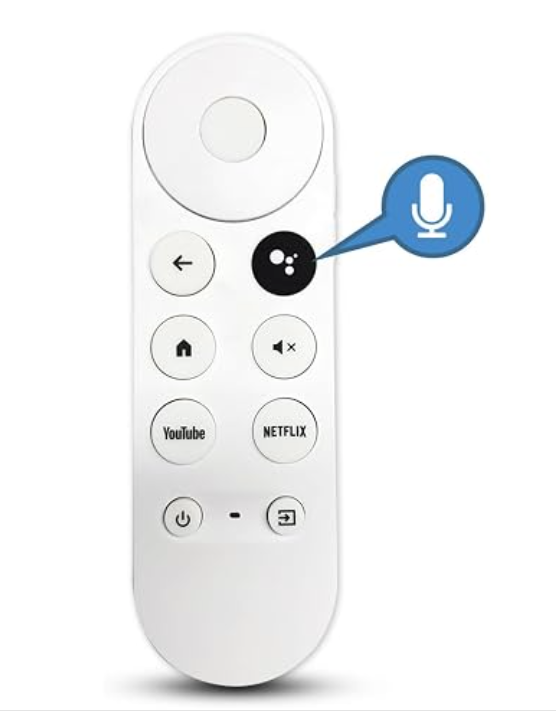
[READY STOCK] Replacement Voice Remote Control for Chromecast with Google TV (4K & HD)
Lost or damaged your original Chromecast remote? This direct replacement voice remote is fully compatible with Google TV 4K & HD dongles, delivering responsive buttons, built-in Google Assistant voice control, and easy Bluetooth pairing!
✨ KEY FEATURES:
• Voice Control with Google Assistant: Search movies, launch apps, adjust volume, and ask questions hands-free via the dedicated microphone button.
• Dedicated Shortcut Keys: Quick one-press access buttons for YouTube and Netflix.
• Universal TV Control Support: Easily program IR power, volume, and input buttons to control your TV, soundbar, or receiver via Google TV settings.
• Ergonomic & Smooth Finish: Sleek, lightweight, and durable build matching the original Google TV remote aesthetic.
• Fast & Stable Bluetooth Connection: Direct wireless connection to your Chromecast dongle without line-of-sight restrictions.
📋 FULL COMPATIBILITY LIST:
• Remote Model Codes: G9N9N, GA01920-US, GA01923, GA02463, GA02464, GA01409, GA01919, GA01920
• Chromecast Models:
- Chromecast with Google TV (4K) [Snow, Sunrise, Sky]
- Chromecast with Google TV (HD) [Model G454V / GA03131]
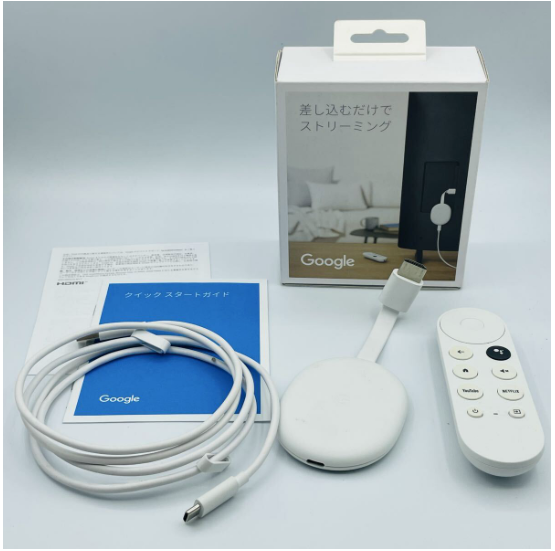
📦 PACKAGE INCLUDES:
• 1x Voice Remote Control Replacement for Google TV (White)
• 1x User Pairing Instructions Guide
*(Note: Requires 2x AAA batteries - not included)*
🛠️ SIMPLE PAIRING INSTRUCTIONS:
1. Turn on your TV and ensure your Chromecast device is powered on.
2. Press the physical button on the back/side of your Chromecast dongle to enter pairing mode.
3. On the new remote, press and hold the [Back / ←] and [Home / ⌂] buttons simultaneously until the LED light pulses.
4. Once detected, release the buttons and complete the on-screen pairing confirmation.
⚡ Ready stock in Malaysia! Packed securely with thick bubble wrap for fast and safe delivery.
Product Videos
Product Video 2
Frequently Bought Together
Produk yang sering dibeli bersama oleh pelanggan.
Customers Also Bought
Produk lain yang turut dibeli oleh pelanggan.
How To Buy